Back to All Articles

Best Tablets for Note-Taking in School (2026)
Who this is for:

Students who take a lot of handwritten notes or annotate lecture slides and textbooks.

This guide is for students who want the best tablet for taking handwritten notes, annotating PDFs, and staying organized in school without relying on paper notebooks. It’s designed for high school and university students who need a reliable, easy-to-use device with stylus support for lectures, studying, and exam prep. Whether you’re replacing traditional notebooks or building a more efficient digital study system, these tablets are chosen to make note-taking faster, cleaner, and more productive across all your classes.
Our Top Picks

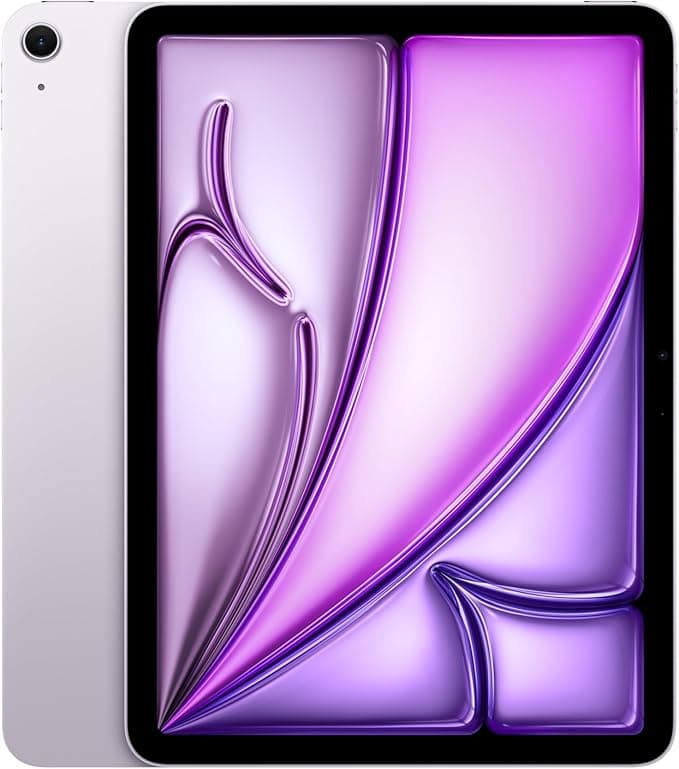
Apple iPad Air 11-inch with M3 chip

$949.00

Pros

  • Excellent handwriting latency with Apple Pencil Pro

  • Extremely powerful M3 chip for longevity and multitasking

  • Lightweight and portable for campus use

  • Great ecosystem if you already use iPhone or Mac

  • Strong app optimization for students and creatives

Cons

  • Apple Pencil sold separately

  • 60Hz display feels less smooth than Samsung’s 90/120Hz tablets

  • Accessories are expensive

  • Limited file-system flexibility compared to Windows/Android

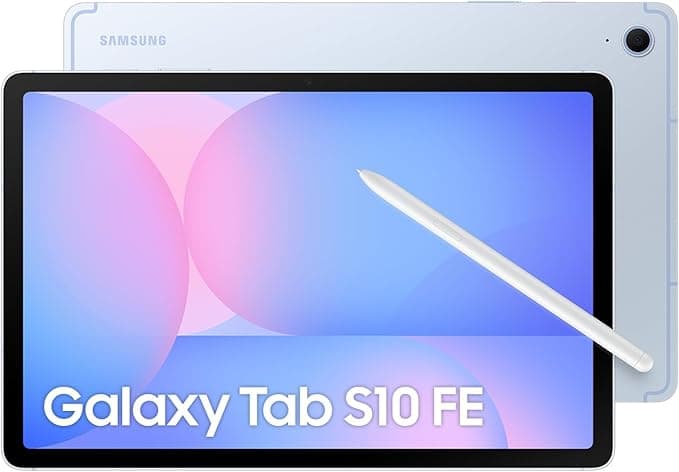
Samsung Galaxy Tab S10 FE

$699.99

Pros

  • S Pen included in the box

  • Excellent value for students

  • Samsung Notes is outstanding for lectures and PDFs

  • Better refresh rate than iPad Air for smoother writing feel

  • Expandable microSD storage

  • DeX mode gives a laptop-style experience

  • Great split-screen multitasking

Cons

  • Performance weaker than the iPad Air M3

  • Android tablet apps are less optimized than iPad apps

  • Long-term software support usually shorter than Apple

  • Heavier Samsung UI can occasionally feel less polished

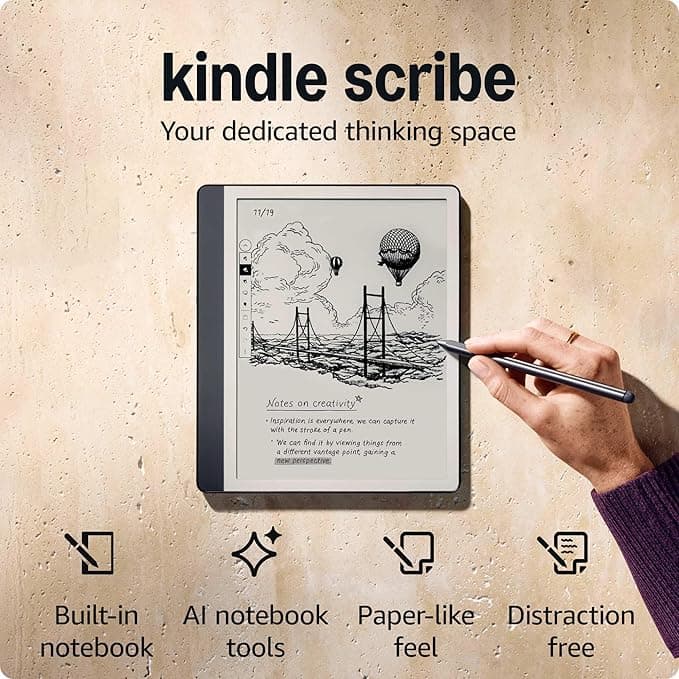
Amazon Kindle Scribe (16 GB)

$499.99

Pros

  • Paper-like writing experience

  • E-ink display is extremely comfortable for long study sessions

  • Exceptional battery life (often weeks)

  • Great for reading textbooks and annotating PDFs

  • Minimal distractions compared to full tablets

  • Lightweight and easy on the eyes

Cons

  • Limited app ecosystem

  • Poor multitasking compared to tablets

  • Not ideal for video lectures or web-heavy coursework

  • Slower interface due to e-ink technology

  • Less flexible for general productivity

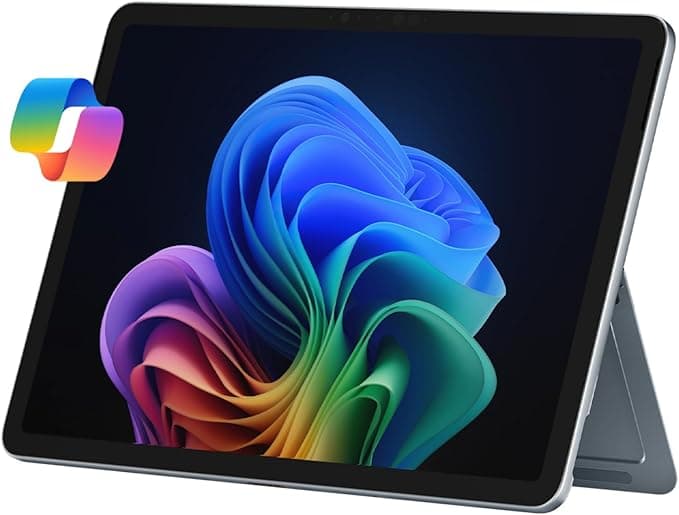
Microsoft Surface Pro 2-in-1 Laptop/Tablet

$1149.99

Pros

  • Full Windows laptop functionality

  • Excellent for engineering, coding, business, and STEM software

  • Strong multitasking and desktop app support

  • Great keyboard and productivity workflow

  • Large display ideal for split-screen studying

  • Can replace both a laptop and tablet

Cons

  • Much more expensive

  • Heavier and less portable than iPad or Galaxy Tab

  • Battery life usually shorter than dedicated tablets

  • Tablet-first experience feels less polished

  • Accessories can add significantly to the price

Comparison Table

Best For

Overall students

Best value

Reading & handwritten study

Students needing desktop software

Battery Life

Mechanical

Mechanical

Wireless membrane

Mechanical

Writing Feel

Excellent

Excellent

Most paper-like

Excellent

Operating System

iPadOS

Android

Kindle OS

Windows 11

Display Type

LCD 60Hz

LCD 90Hz

E-ink

LCD/OLED

Main Advantage

Best overall app ecosystem and handwriting experience

Best value with included S Pen

Best paper-like and distraction-free note-taking

Best full laptop replacement

Noise Level

The Apple 11-inch iPad Air M3 is the strongest overall choice. It combines the smoothest handwriting experience with the best note-taking apps like GoodNotes, Notability, and OneNote, while the M3 chip gives it enough power to last through years of school without slowing down. It’s lightweight, reliable for all-day lectures, excellent for annotating PDFs and textbooks, and works especially well if you already use an iPhone or Mac. The Samsung Galaxy Tab S10 FE is the best value because the S Pen is included, the Kindle Scribe is best for distraction-free paper-like studying, and the Surface Pro 11 is best if you need full laptop software — but for the best balance of portability, note-taking quality, app ecosystem, and long-term student usability, the iPad Air M3 stands out as the top overall pick.

Frequently asked questions

For most students, the iPad Air is considered the best overall because of its smooth handwriting experience, excellent apps like GoodNotes and Notability, and strong long-term performance. If you want better value with a stylus included, the is a top alternative.

Yes. A stylus is essential if you plan to handwrite notes, annotate PDFs, solve math problems, or mark lecture slides. Tablets without stylus support are much less effective for school productivity.

Most students should aim for at least:

128GB for casual note-taking and cloud storage

256GB if storing many textbooks, videos, PDFs, or creative projects

Android tablets with microSD support can reduce storage concerns.

10–11 inches: Best balance of portability and note-taking

12–13 inches: Better for multitasking and split-screen studying

Smaller than 10 inches can feel cramped for handwriting

Related Articles


Get weekly Amazon finds.

Every week we send out the best budget deals and new product reviews — straight to your inbox. No spam, ever.

Join fellow students. Unsubscribe anytime.


StudySetup

Curated picks, honest reviews, and budget finds — for students who want to study smarter.

© 2026 StudySetup. As an Amazon Associate, we earn from qualifying purchases.

Shop

Amazon Store